
Registration

Nigez.com is using TDCoin blockchain technology to ensure anonymity and privacy of our users.
Page on Nigez.Wiki - TDCoin
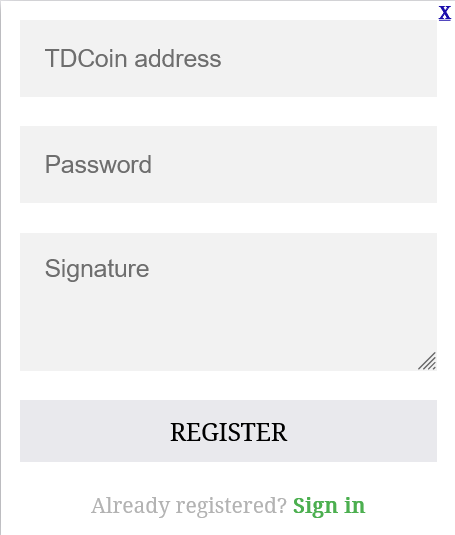
Two methods are available to generate signed message - "Signature".
Usign TDcoinCore application and paper wallet generator web page.
Please select whichever you like.
TDCoinCore application TDCoin paper wallet
TDCoinCore application
Download and install TDCoinCore client software to your computer.
Start the application.
Wait until application is synchronized with other nodes.
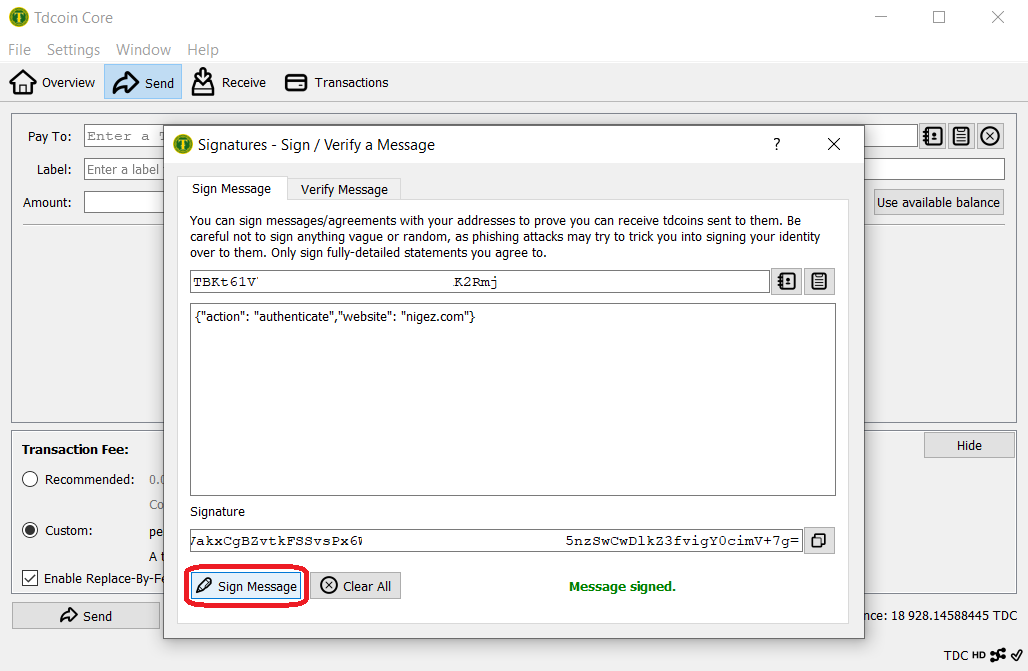
Click menu "File->Sign message" in main window of the application.
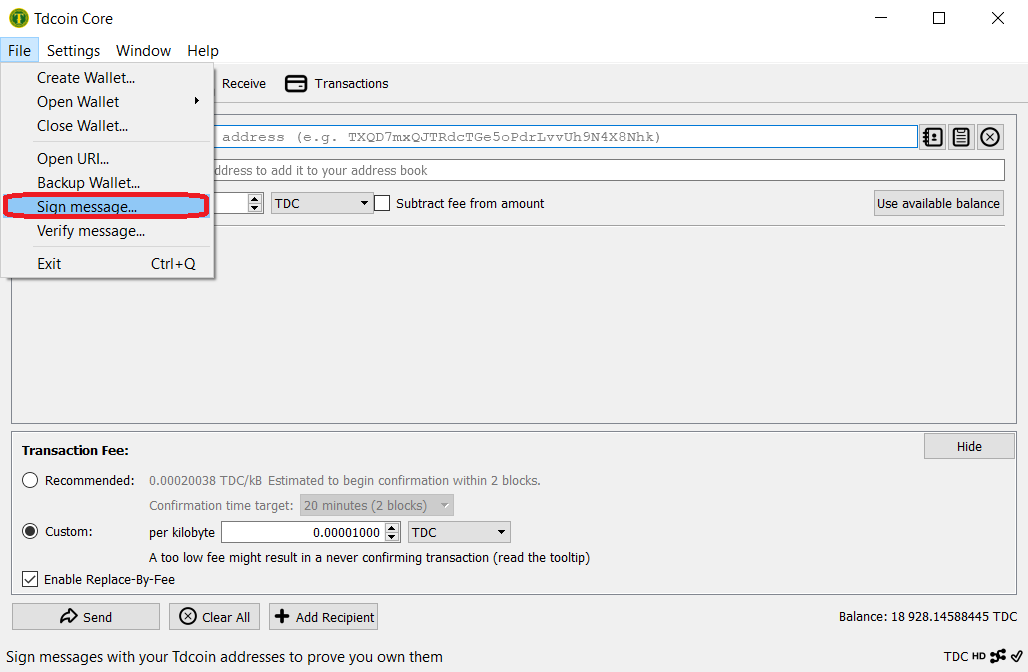
Select address you want to use for signing in. Use only "legacy" addresses.
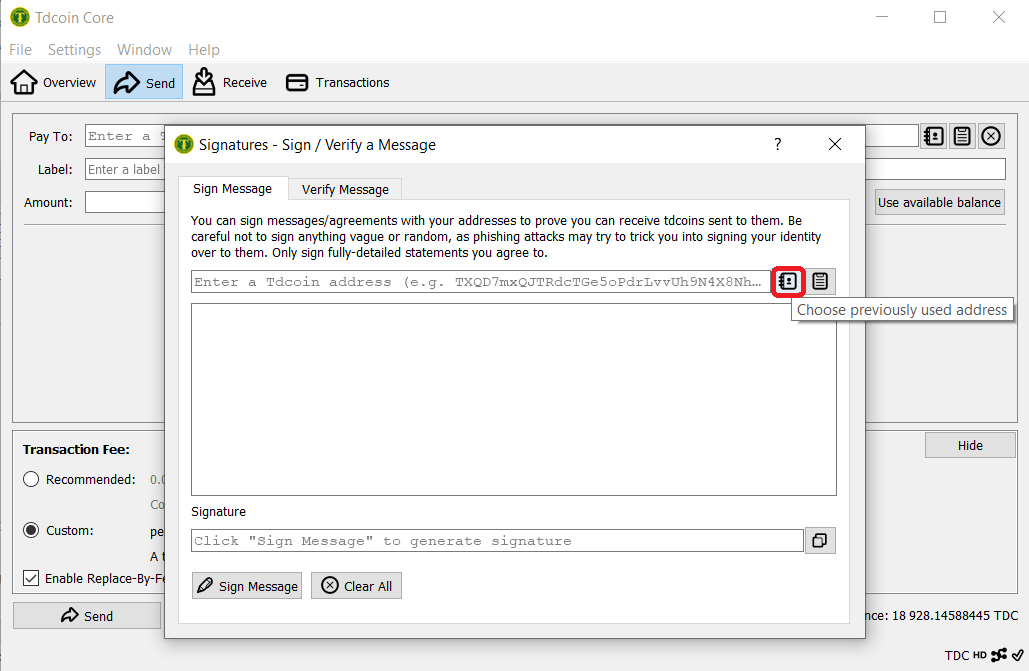
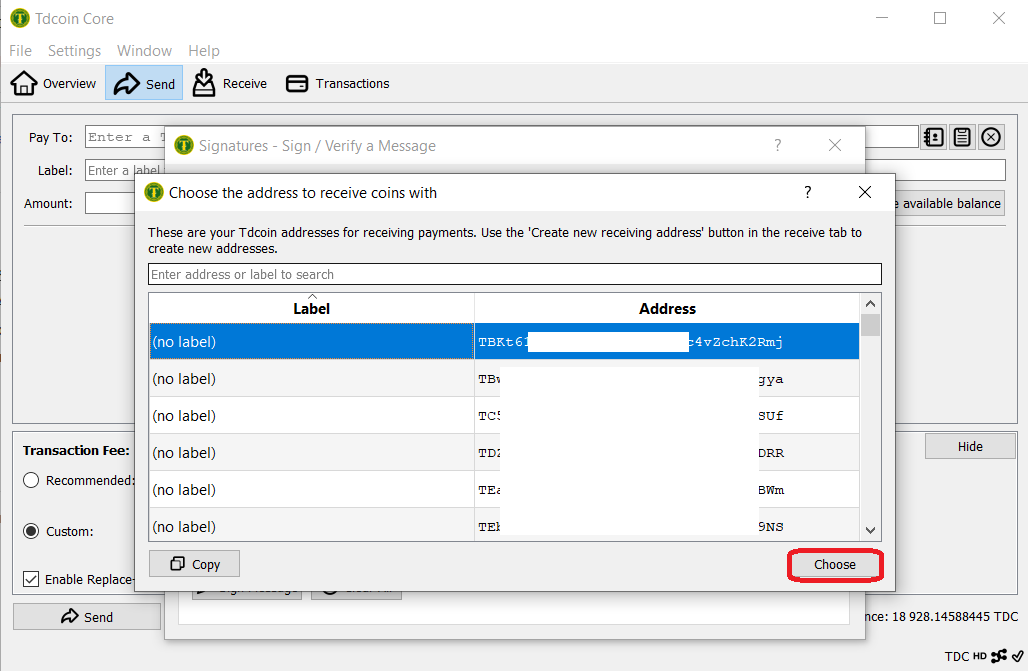
Use this string {"action": "authenticate","website": "nigez.com"} as shown below to create authenticating signature by pressing "Sign message" button.
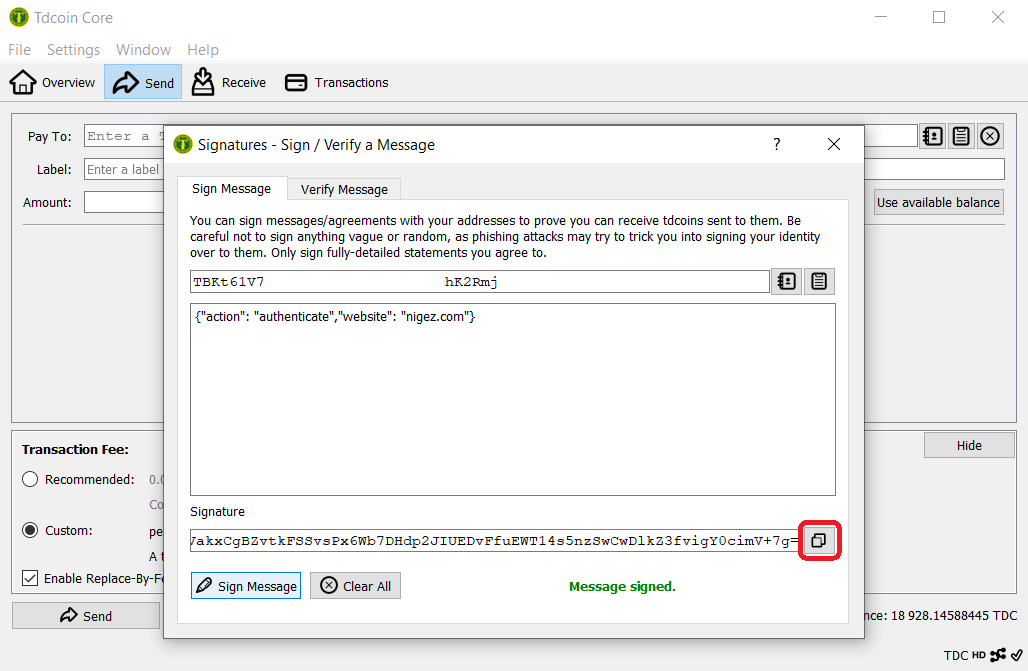
Use button to copy signature. Marked red on the picture below.
TDCoin paper wallet
Alternatively to generate signed message
you can use TDCoin paper wallet generator web page, "Signature" tab
once the page is open move your cursor around the screen until the bar fills up
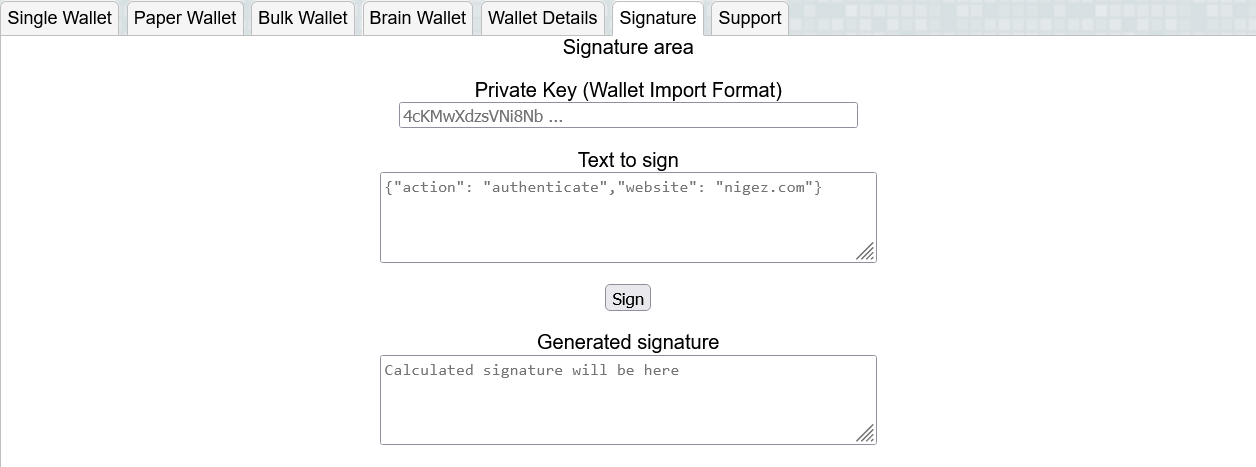
Please use information from tab "Single wallet".
For "Text to sign" field use text {"action": "authenticate","website": "nigez.com"}.
We recommend to utilize "Keepass" application for safe keeping of generated
addresses and private keys.
Lastly please use newly created TDCoin address and signature on Nigez.com registration form.
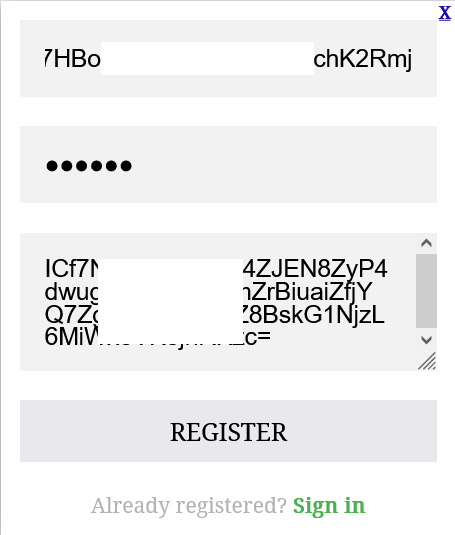
After successful registration use your wallet address and password to sign in on Nigez.com.
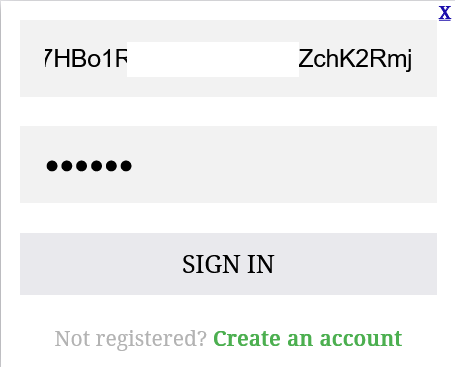
After signing in
